
Everything you need to know before getting started. Can’t find your answer? Get in touch.
Getting started
Do I need to know SQL or any code?
Not at all. DataAssist-IO is built for business teams, not developers. You ask questions in plain English — exactly like you’d ask a colleague — and DataAssist-IO handles the rest. No SQL, no formulas, no training.
How long does setup take?
Most teams are up and running in under 10 minutes: create your org, connect a data source (upload a CSV or connect a database), then connect your AI assistant by pasting one URL. There’s nothing to install.
Which AI assistants does DataAssist-IO work with?
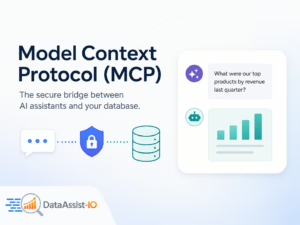
Claude, ChatGPT, and any MCP-compatible AI assistant. DataAssist-IO connects through the open Model Context Protocol (MCP), so your team can use the tools they already have. See our integrations.
Your data & sources
What data sources can I connect?
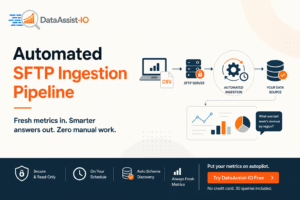
Today you can upload CSV files, schedule SFTP file drops, and connect live MySQL or PostgreSQL databases. Data warehouses (Snowflake, BigQuery, Redshift) and cloud storage (Amazon S3, Google Cloud Storage) are on the roadmap.
Do I have to migrate or move my data?
No. CSV uploads are imported into your private, isolated space; MySQL and PostgreSQL databases are queried live — nothing is copied or migrated.
Can DataAssist-IO change or delete my data?
No. DataAssist-IO is read-only by design. It runs queries to answer your questions, but it can never write to, update or delete your data.
Security & privacy
Is my data safe? Can other organizations see it?
Your data is completely isolated in your organization’s own private namespace — no other organization can ever access your tables or query results. Everything is encrypted in transit and at rest.
Do you use my data to train AI models?
Never. We don’t sell your data, share it or use it to train our AI models. You can delete your data at any time.
Who can access my data inside my organization?
You decide. Admins manage data, users and settings; viewers can only query. With Teams, you can scope viewers to just the data sources they should see.
Pricing & credits
How does pricing work?
DataAssist-IO uses prepaid query credits. Each question you ask uses one credit. You buy credit packs up front, with no subscription. See pricing.
Is there a free plan?
Yes — new organizations start with 30 free queries, no credit card required.
Do credits expire? Is there a subscription?
Credits never expire, and there’s no subscription or recurring fee. Please note that purchases are non-refundable.
Can my whole team share credits?
Yes. Credits are shared at the organization level, so everyone on your team draws from the same balance.
Setup, services & more
How do I connect Claude or ChatGPT?
In your AI assistant, add DataAssist-IO as an MCP connector and paste your MCP server URL (https://app.dataassist.io/mcp) — registration and sign-in happen automatically. See the step-by-step guides on our integrations pages.
What if I have data but don’t know how to prepare or visualize it?
Our team can help. Beyond the software, DataAssist-IO offers done-for-you data engineering — pipelines, cleanup, source connections and dashboards. Learn more on our Services page.
How is DataAssist-IO different from other MCP data tools?
Most MCP data tools require you to install software, configure servers, and maintain infrastructure. DataAssist-IO is a fully managed cloud platform — nothing to install or configure. Create an org, connect your data, and start asking.
Still have a question? Get in touch — we usually reply within a few hours.