
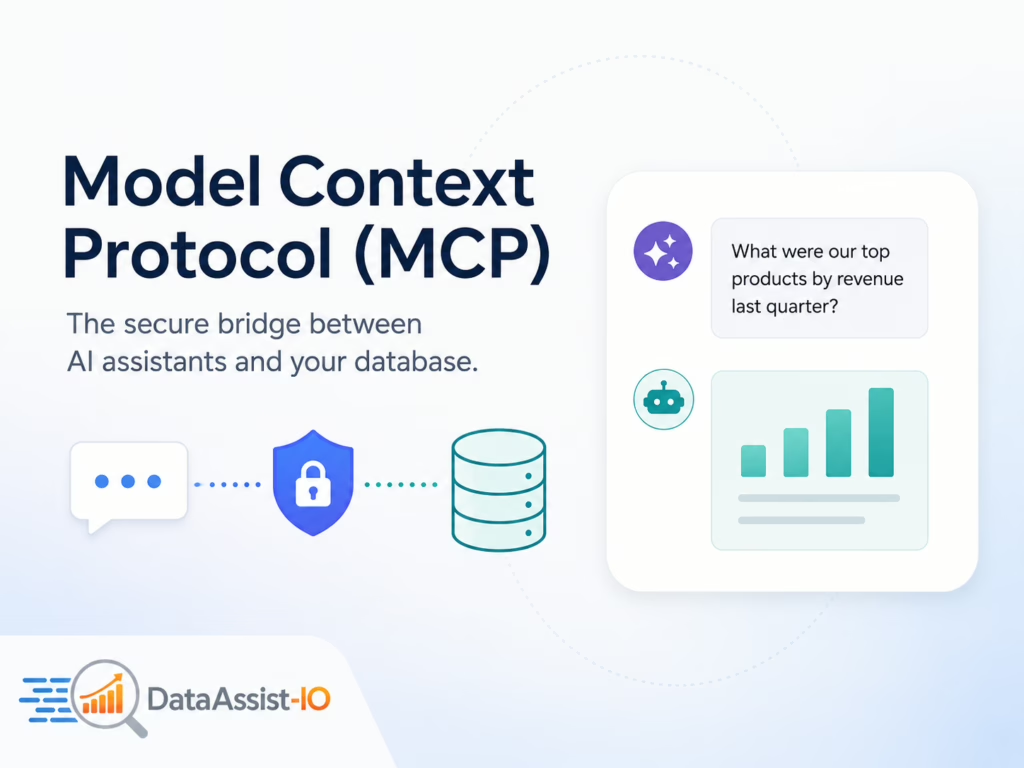
Model Context Protocol (MCP) is an open standard that lets AI assistants like Claude and ChatGPT talk to your database through a structured, controlled connection. Rather than pasting spreadsheets into a chat box, MCP gives the AI a secure, read-only way to query your live data and hand back answers in plain English. DataAssist-IO uses MCP to turn your CSV files and SQL databases into something your whole team can simply ask questions of.
What Model Context Protocol Actually Is
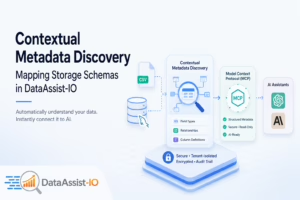
MCP is a shared protocol that sits between an AI assistant and an outside data source. It defines how the AI sends a request and how your database returns results, so both sides understand each other. The AI never sees your raw files dumped into a prompt. It sends a question, the MCP server runs it against your data, and only the result comes back.
What makes this useful for business teams is that the connection is read-only by design. The AI can ask your data questions, but it cannot write, change, or delete anything. That single rule removes most of the worry people have about pointing an AI at a real production database.
How DataAssist-IO Connects MCP to Your Database
Setup runs in four short steps, and you can see the full walkthrough on the features page:
- Connect a source — upload a CSV or link your MySQL or PostgreSQL database.
- DataAssist-IO reads the schema automatically, so it already knows your tables, columns, and relationships. No manual mapping.
- Copy your MCP connection URL into Claude or ChatGPT settings. This one-time step takes under two minutes.
- Ask a question in plain English, like “Which region grew fastest last quarter?”
Ready to put MCP to work on your own data? Create a free account and run your first queries in a few minutes.
Setup guides for Claude and ChatGPT are there when you need them.
Why the Read-Only Design Keeps Your Data Safe
Security is where MCP matters most for finance and ops teams. With DataAssist-IO, every customer’s data is tenant-isolated, kept fully separate from other organizations and from DataAssist-IO staff. Everything is encrypted in transit and at rest. Each query is recorded in an audit trail your admins can review at any time, and access is role-based, so you decide who sees which data. Because the connection only reads, there is no path for an AI to alter your records.
Getting Better Answers From MCP
A few habits make a big difference once your data is connected:
- Ask one clear thing at a time. “Top 10 customers by revenue in 2025” beats a long, multi-part question.
- Name your columns in plain terms before you connect. If a field is called “cust_ltv,” rename it to “customer lifetime value” so the AI maps it correctly.
- Clean your CSV first. Remove blank rows, merged header cells, and stray totals at the bottom of the sheet.
- Define your business terms once. Set what ARR, MRR, or churn mean for you, and the AI keeps using them the same way across every question.
- Start broad, then narrow. Ask for the overall trend, then look closer at the segment that stands out.
So here is the real question: what would your team ask first if a solid answer took five seconds instead of waiting five days for a report?
Common Questions About MCP and DataAssist-IO
Do I need to know SQL to use MCP?
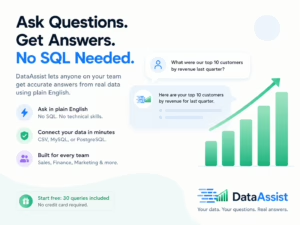
No. You type your question in plain English and DataAssist-IO turns it into a query against your data. SQL is optional, not a requirement.
Can the AI change or delete my data through MCP?
No. The connection is read-only, so the AI can read and query your data but cannot write, update, or delete any of it.
Which databases and files can MCP connect to?
Right now you can connect CSV files, MySQL, and PostgreSQL. Snowflake, BigQuery, Redshift, Amazon S3, and Google Cloud Storage are coming soon.
How long does MCP setup take?
Connecting a source and pasting your MCP URL into Claude or ChatGPT takes under two minutes, and there is nothing to install.
Ask Your Data Anything
MCP is the behind-the-scenes connection that lets your AI assistant answer questions straight from your real data, safely and in plain English. DataAssist-IO hands you that connection without the technical setup. The free plan needs no credit card and includes 30 queries, so you can test it on your own numbers right now.